Visual Metronome app icon

Visual Metronome

See the beat. Find your tempo.

A metronome for Android and iPhone that you can watch as well as hear. Pick one of 19 visualizers and play along with the click, or mute it and follow the picture.

Free, with no ads and no account. Try the beat in your browser

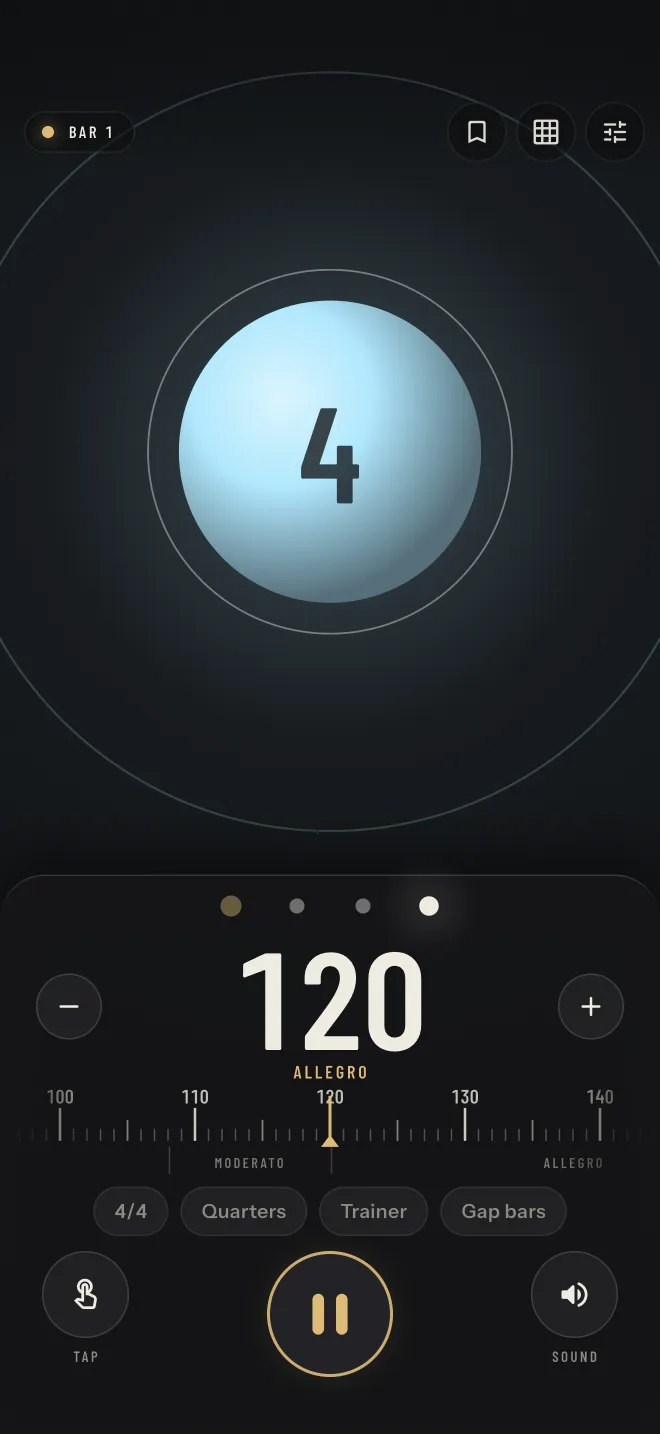
Visual Metronome playing at 120 BPM, Allegro: a glowing Pulse Orb above the control deck with the tempo ruler, 4/4, Quarters, Trainer and Gap bars buttons, Tap and Sound

Try the beat

A small browser version with three of the app's visualizers. Sound stays off until you switch it on.

Ready

Visualizer
Meter
Subdivision

Space starts and stops the metronome when it has focus. T taps the tempo.

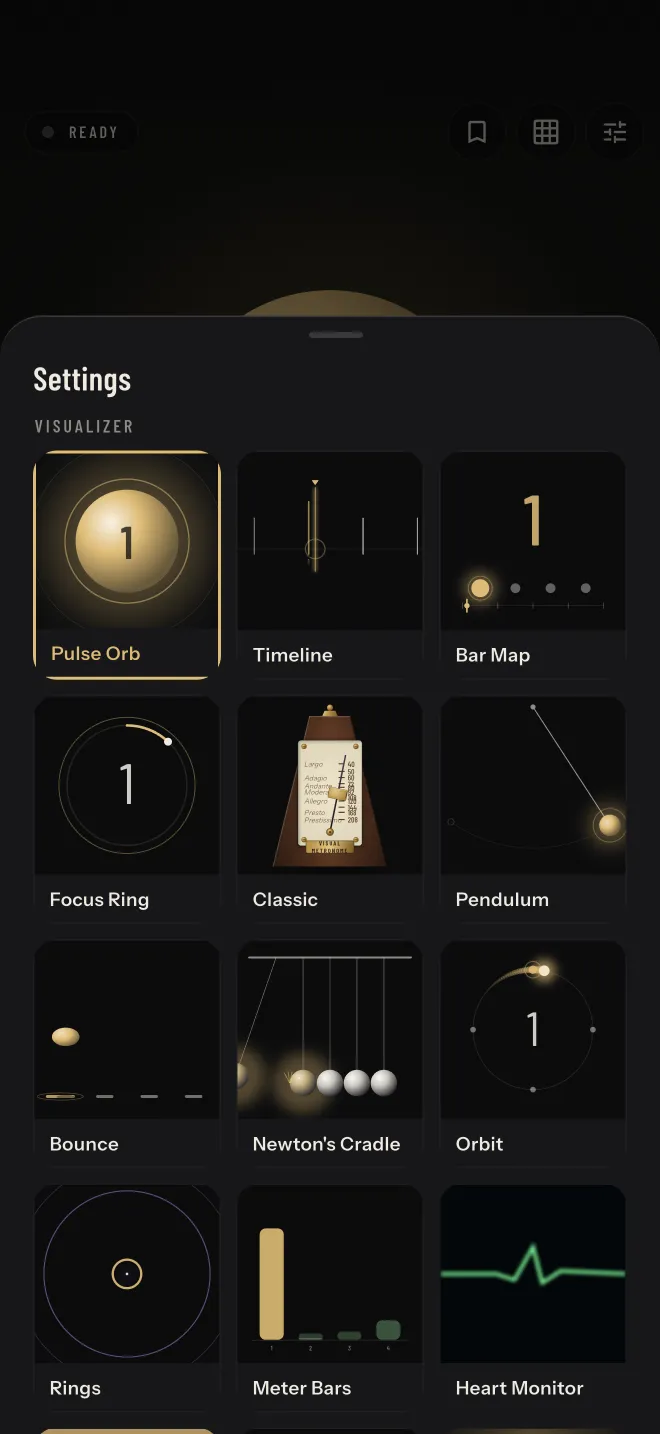
The visualizer picker in Settings: tiles for Pulse Orb, Timeline, Bar Map, Focus Ring, Classic, Pendulum, Bounce, Newton's Cradle, Orbit, Rings, Meter Bars and Heart Monitor

Nineteen ways to see the beat

Every visualizer runs on the same clock as the sound, so what you see lands when you hear the click. Each one also shows the next beat coming, which lets your eye lead the sound instead of chasing it.

  • Pulse Orb A sphere that draws breath before each beat and pops on it.
  • Timeline Upcoming clicks slide toward a playhead, like a tape.
  • Bar Map One pip per beat, a cursor sweeping the bar, a big count.
  • Focus Ring One thin ring fills across the beat and snaps on it.
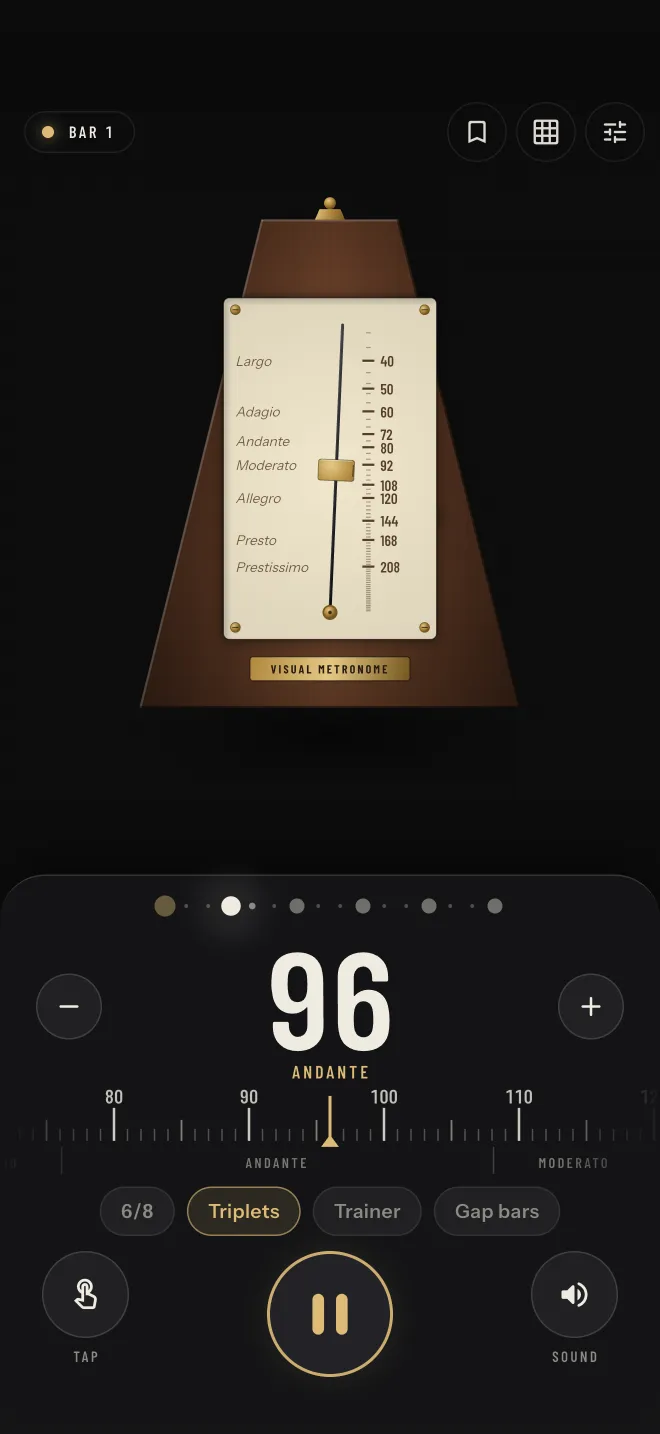
  • Classic A wooden wind-up metronome with a sliding tempo weight.
  • Pendulum A bob swings to an extreme on every beat.
  • Bounce A ball hops from pad to pad, landing on every beat.
  • Newton's Cradle End balls swing out and click back in on every beat.
  • Orbit A comet circles once per bar, flaring at every beat mark.
  • Rings A seed swells before each beat and bursts into a ring.
  • Meter Bars One bar per step; each shoots up on its click and decays.
  • Heart Monitor An ECG trace sweeps the bar; each beat is a spike.
  • Strobe A hard full-screen flash on every beat, brackets closing in between.
  • Vinyl A record turns once per bar; beat marks pass under the stylus.
  • Light Grid A perspective floor rolls toward you, one line per beat.
  • Ripples A drop falls through each beat and lands on the click.
  • Burst Sparks gather to the center, then explode on the beat.
  • Thunder A charge builds in the cloud; the bolt strikes on the beat.
  • Kaleido A petal wheel that turns one notch per beat, like an escapement.
The Classic visualizer, a wooden wind-up metronome, at 96 BPM marked Andante, with the tempo ruler, 6/8 and Triplets below

Set the tempo your way

Anywhere from 30 to 300 BPM, with the classical marking underneath, from Grave to Prestissimo.

  • Drag the tempo ruler, or press minus and plus. Hold them to keep going.
  • Tap the number to type an exact tempo.
  • Tap along on the Tap button and the app averages your last few taps.
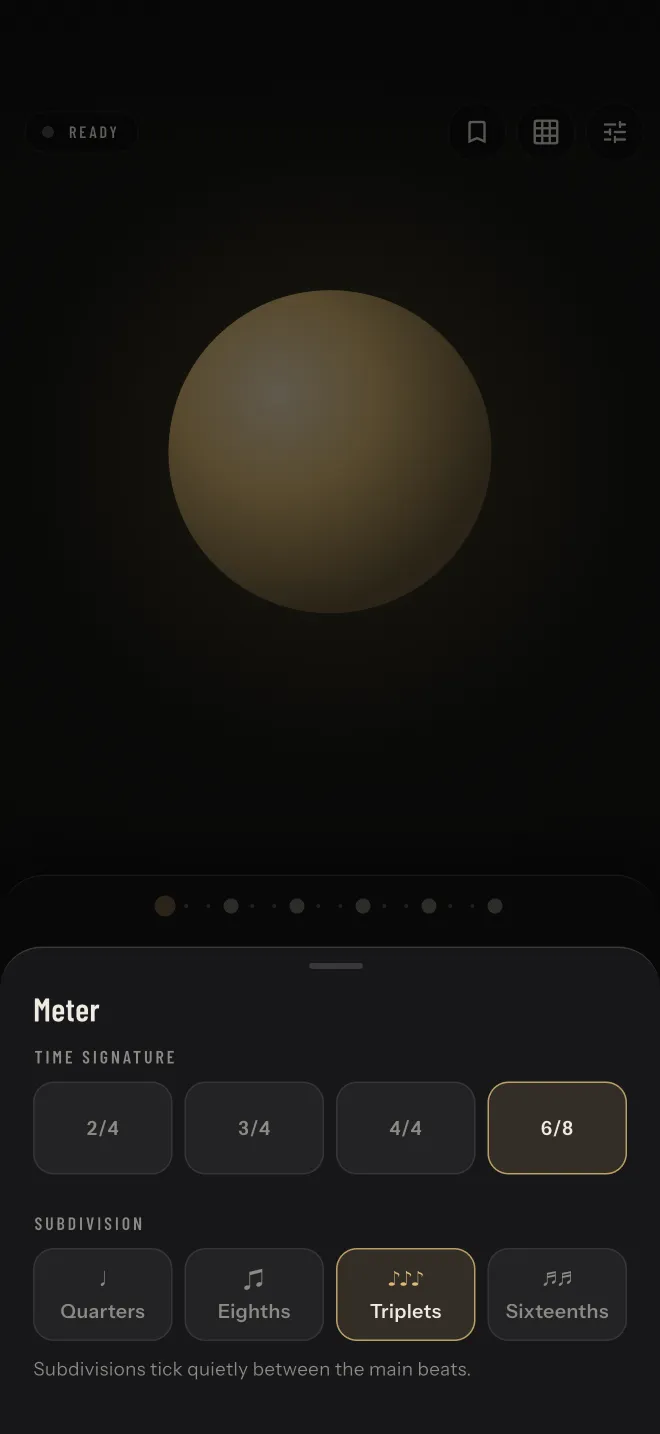
The Meter sheet with time signatures 2/4, 3/4, 4/4 and 6/8, and subdivisions Quarters, Eighths, Triplets and Sixteenths; 6/8 and Triplets are selected

Count any bar

Play in 2/4, 3/4, 4/4 or 6/8, in quarters, eighths, triplets or sixteenths. Subdivisions tick quietly between the main beats.

Tap a beat to make it accented or silent. Mark the downbeat, or drop the beats you want to feel on your own.

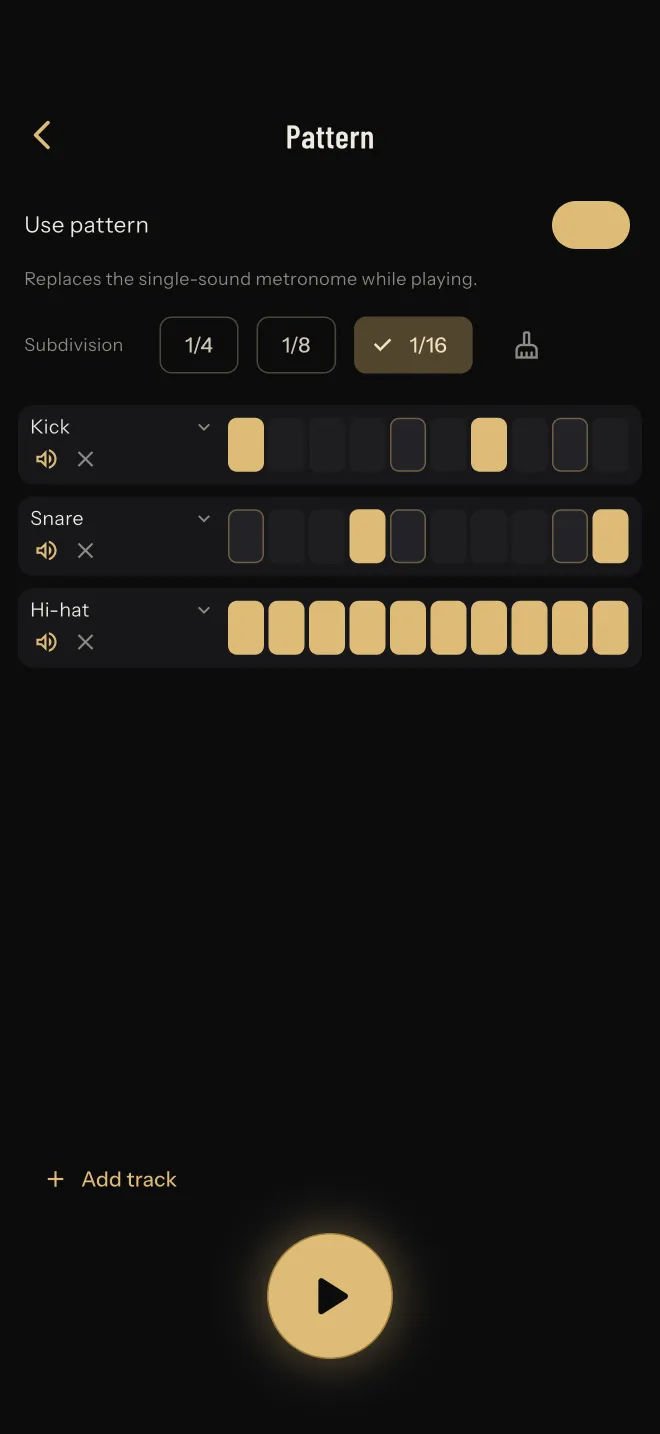
The Pattern editor with kick, snare and hi-hat tracks on a sixteenth-note step grid

Program a groove

Switch on a pattern and the single click becomes a step sequencer. It starts from kick, snare and hi-hat, and you can run up to six tracks, each with its own sound, in quarter, eighth or sixteenth steps.

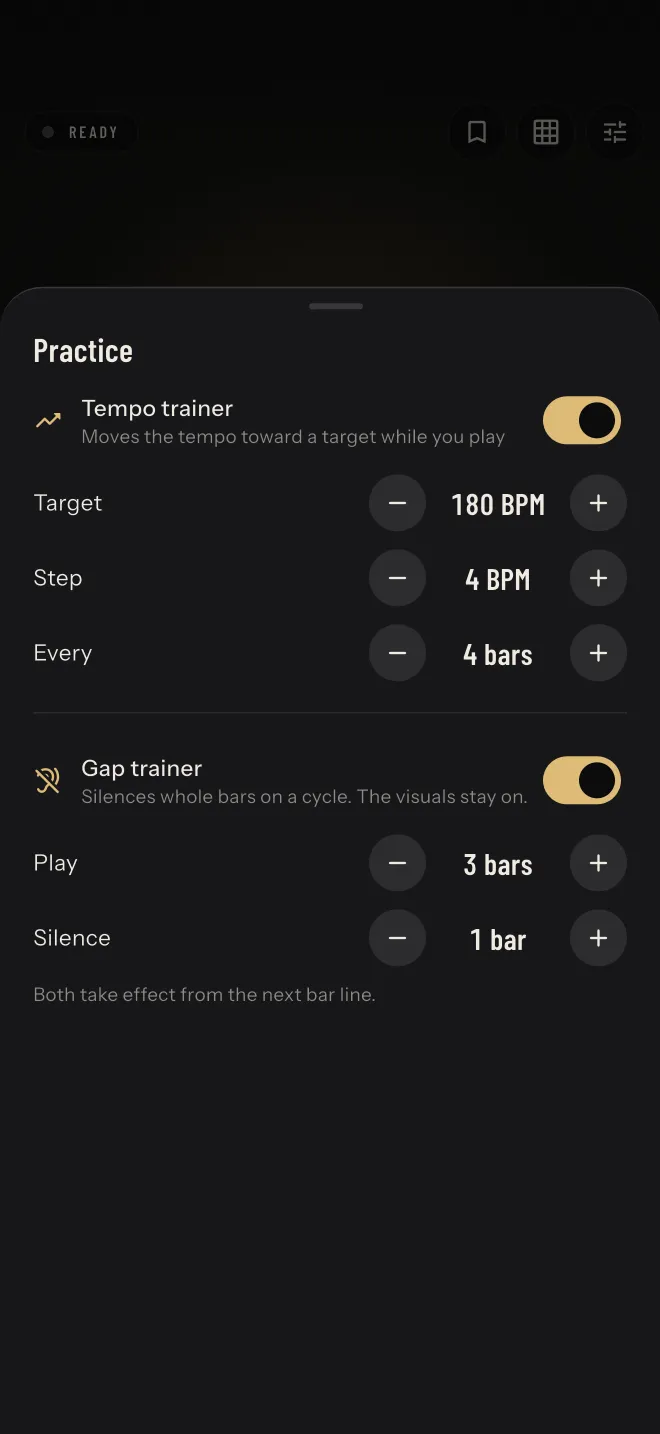
The Practice sheet: a tempo trainer heading to 180 BPM in 4 BPM steps every 4 bars, and a gap trainer playing 3 bars then silencing 1

Practice with a plan

The tempo trainer moves the tempo toward a target while you play, by a step you choose every few bars.

The gap trainer plays a few bars, then silences a few. The visuals keep going, so you can check whether you are still on the beat when the click comes back. Both change at the next bar line.

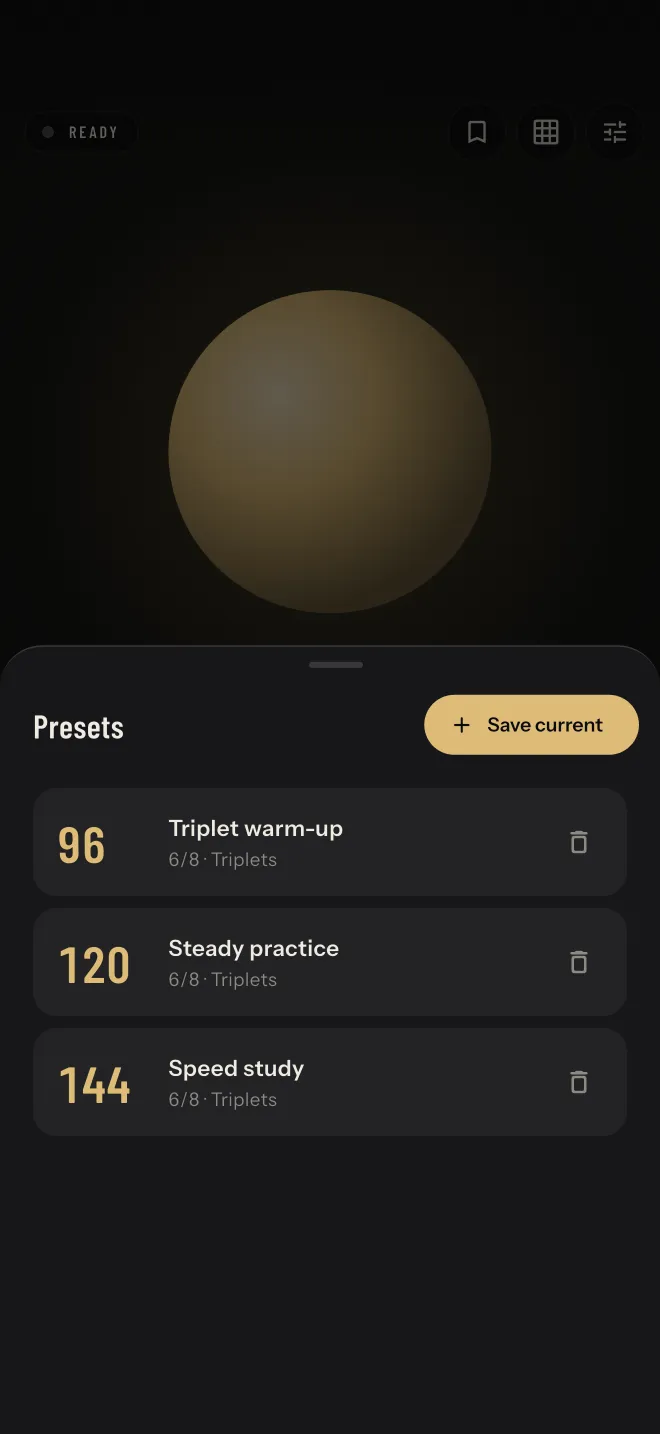
The Presets sheet listing Triplet warm-up at 96, Steady practice at 120 and Speed study at 144, each in 6/8 triplets

Keep your setups

Save the tempo, meter, subdivision, accents and sound as a preset, and pick up where you left off next session.

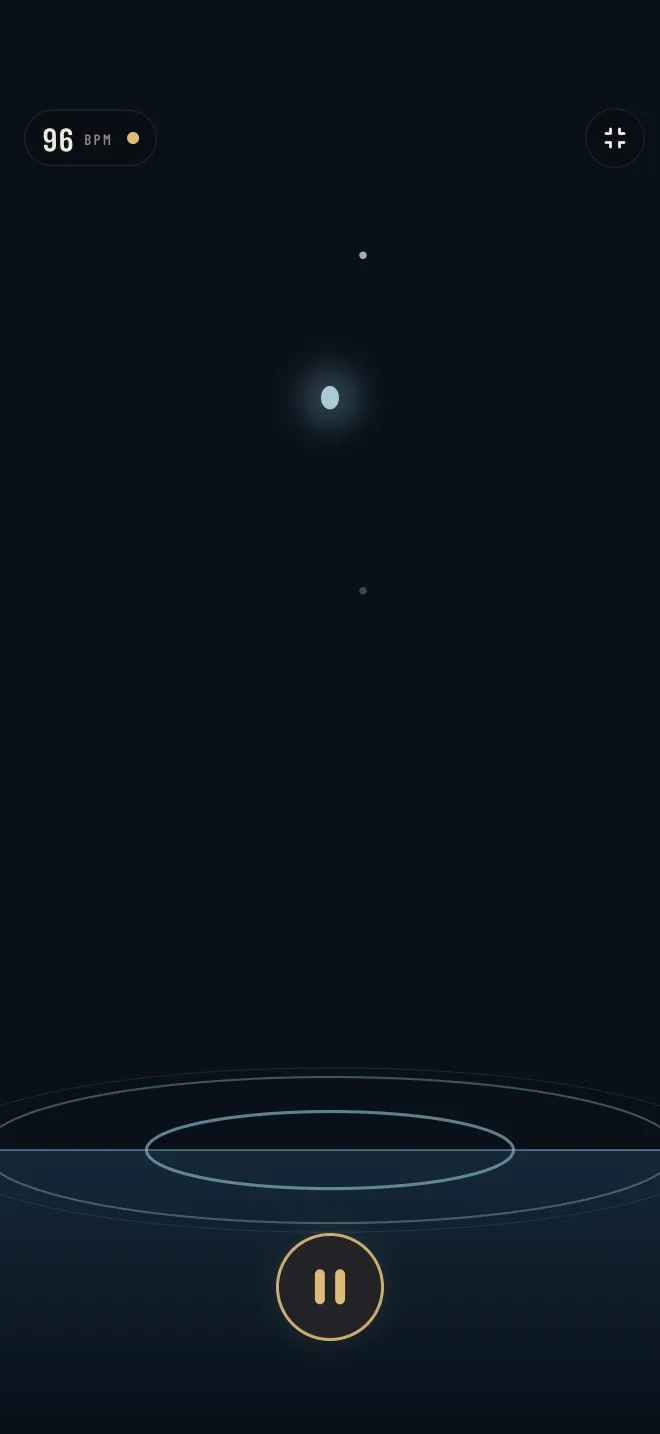
The Ripples visualizer fullscreen at 96 BPM: a drop falling toward rings on dark water

Fill the screen

Tap the visualizer to open it fullscreen, with the tempo in the corner. The display stays awake while the metronome plays, so the phone can sit on a music stand and keep time.

Hear it, feel it, or just watch

Thirteen sounds in four families. Subdivisions use the same sound, quieter.

Clicks
WoodMetalBeepSoft tick
Drums
KickSnareHi-hat
Percussion
CowbellWoodblockClaveShaker
Tones
SineMarimba
  • Accented beats can play louder, use a different sound, or stay the same.
  • Mute the click and keep the visuals for silent practice.
  • Turn on a haptic pulse to feel every main beat, on devices that support it.
  • Audio delay compensation, from −100 to +300 ms, lines the click up with what you see when you play through Bluetooth headphones or a slow speaker.

No account, no ads

Your tempo, sounds, patterns and presets are saved on your device. There is no sign-in and no cloud sync. The app uses Firebase Analytics and Crashlytics to see how it is used and to fix crashes, and it never records audio or asks for your location. Read the privacy policy

Visual Metronome app icon

Count yourself in

Visual Metronome is free on Android and iPhone.