/apps/qr_scanner/
 QR Scanner
Scan it. Find it again. Make your own.
QR Scanner
Scan it. Find it again. Make your own.
Read QR codes with your camera or from a photo, keep every scan in a searchable history, and make your own codes for links, Wi-Fi, contacts and more.
Free on Android.
Scan with the camera, or from a photo
The app opens on the Scan tab, camera ready. Point it at a QR code: an outline locks onto the code and follows it as you move, and the result opens straight away.
- From a photo
- Pick a screenshot or a picture, crop it to the code, and it’s read right on your phone.
- Photos, Flash, Flip
- The three camera controls: scan from your gallery, light up a dim room, or switch cameras.
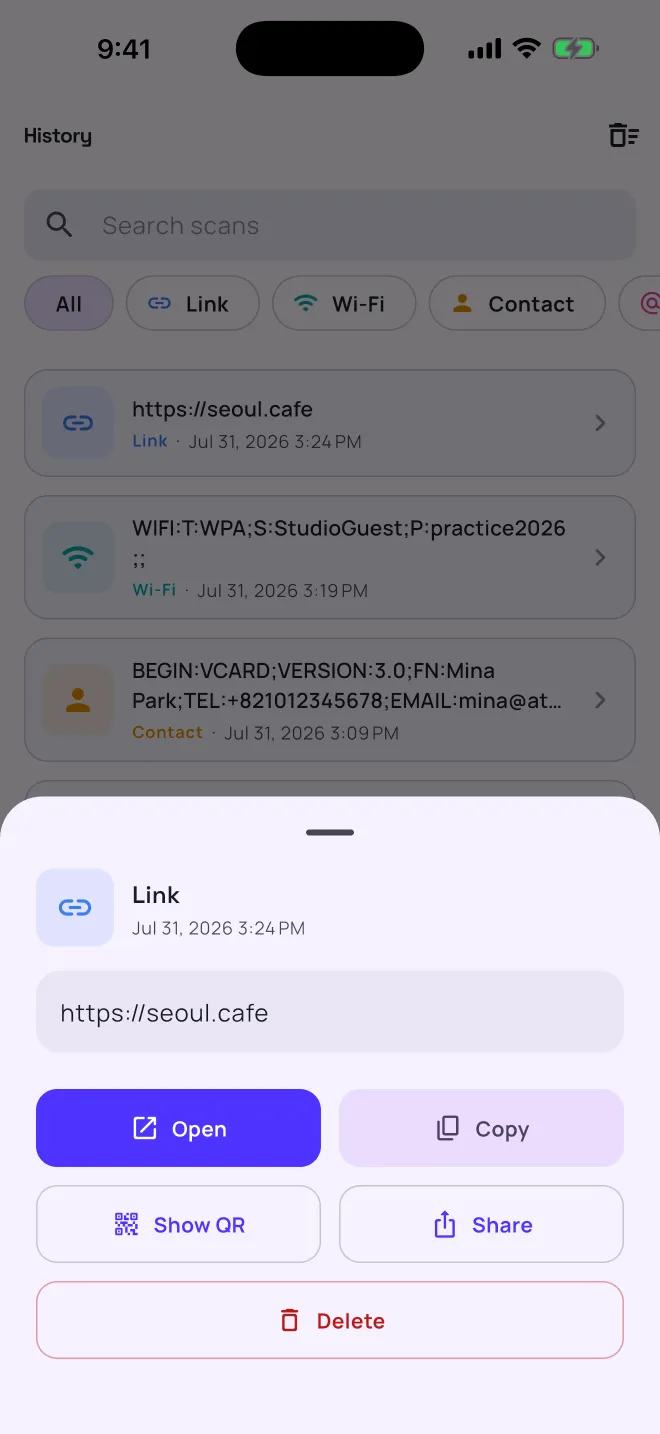
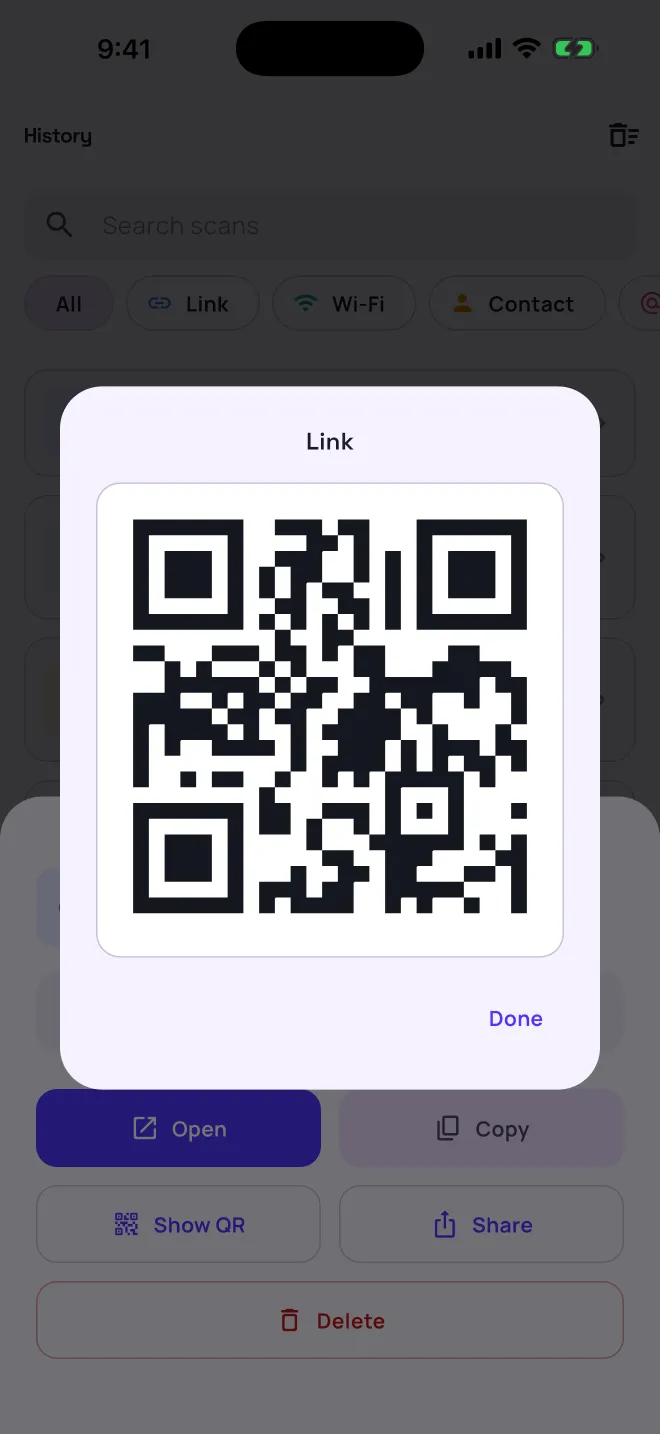
- Show QR
- Turn any result back into a clean code to show someone else.
- Saved as you go
- Every scan lands in History with its date and time.
It knows what it just read
| Type | What the code holds | First button |
|---|---|---|
| Link | A web address: http(s)://… or www.… | Open |
A mailto: link or an email address | Write email | |
| Phone | A tel: number | Call |
| Wi-Fi | A network name and password (WIFI:…) | Copy |
| Contact | A contact card (MECARD or vCard) | Copy |
| Text | Anything else | Copy |
Every result also has Copy, Show QR and Share.
Every scan saved, and easy to find again
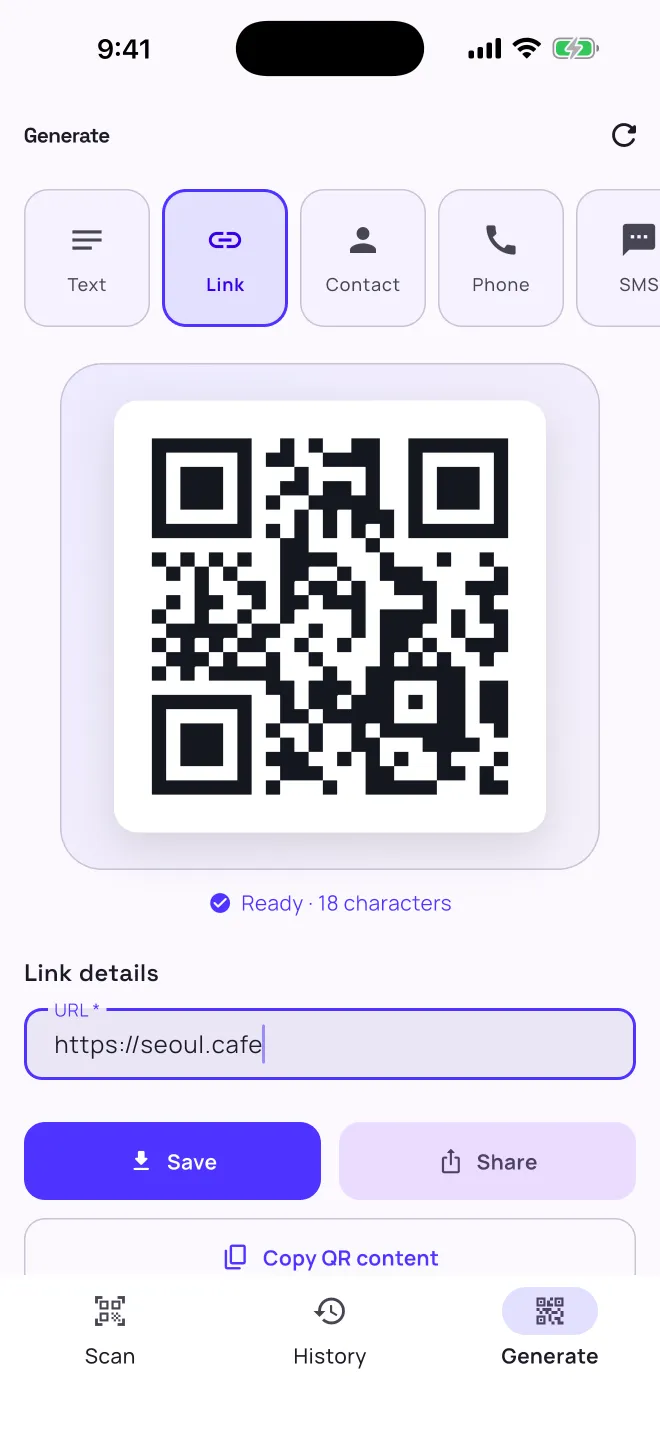
Scans are saved on their own, newest first, with the date and time. Search by what a code says, or tap a type to see only links, Wi-Fi networks, contacts, emails, phone numbers or text.
- Reopen anything
- Tap a scan to open it again, copy it, show it as a QR code, share it or delete it.
- Tidy up
- Select several scans and delete them together, or clear the whole history.
- Kept on your phone
- History lives in a database on your device, and stays there.
Make a QR code for anything
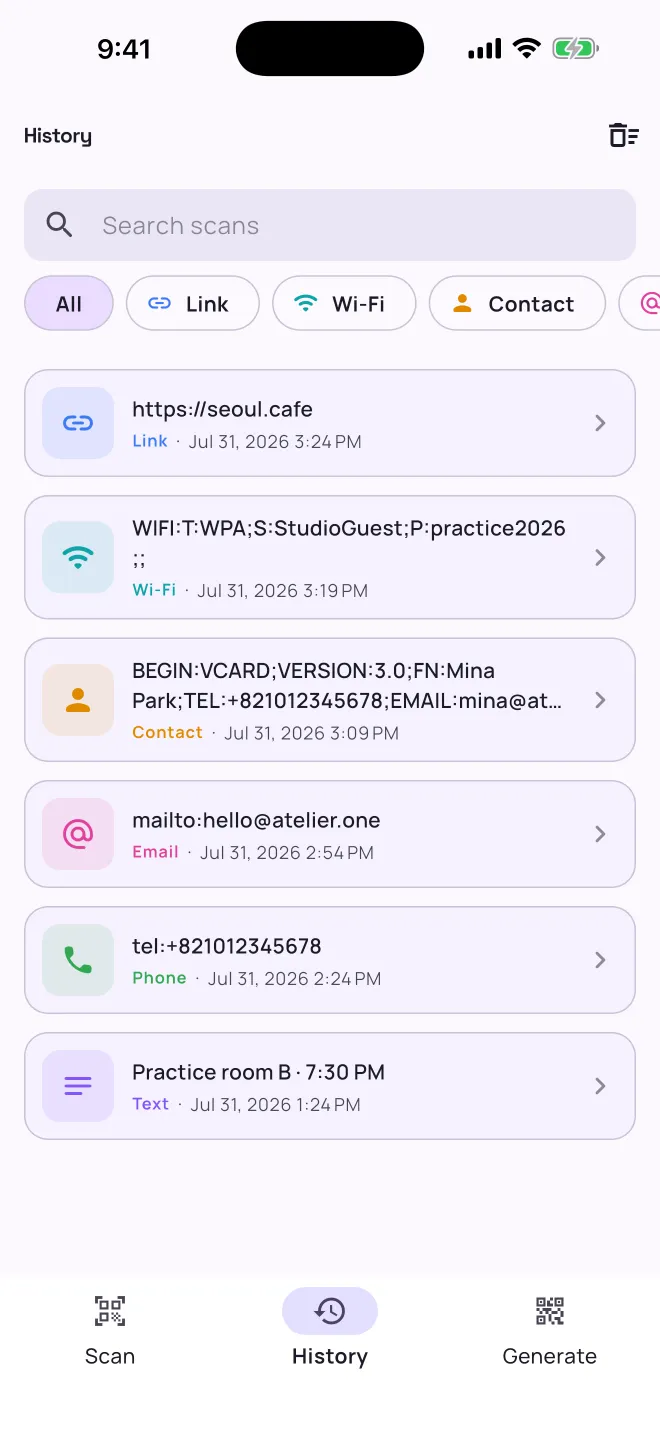
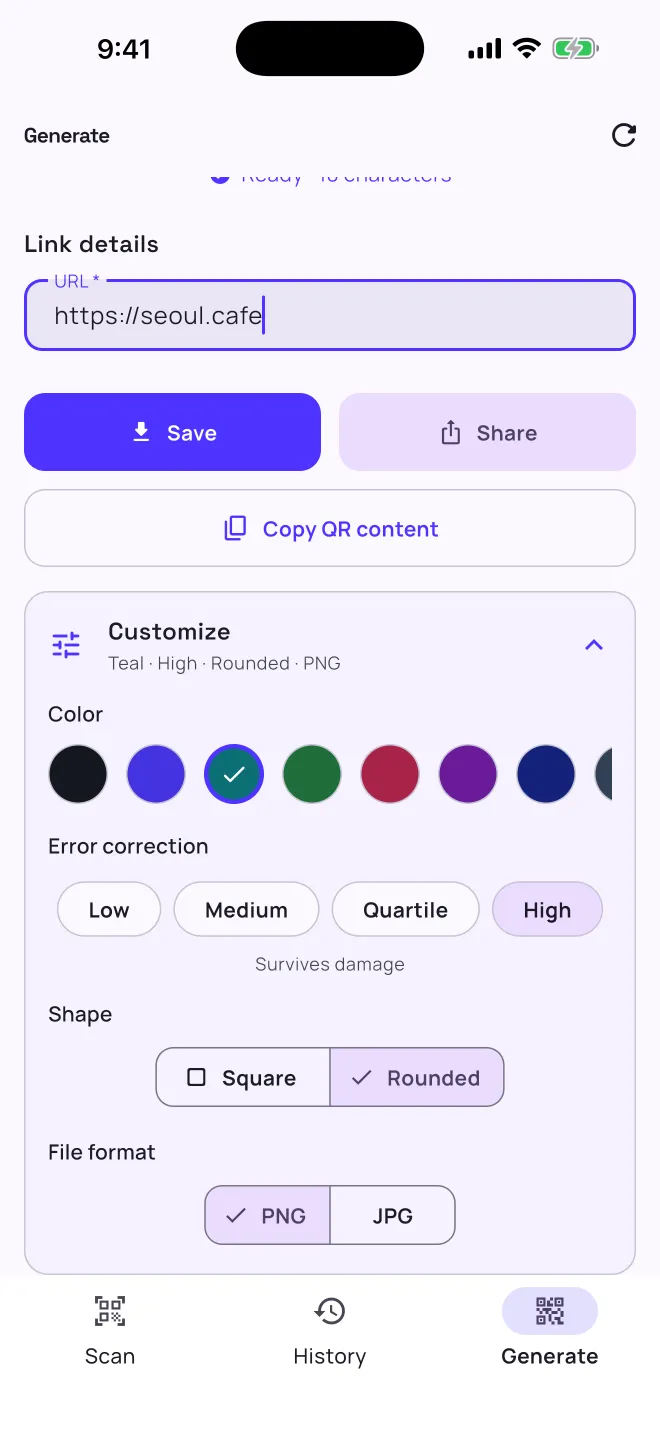
This is the app’s Generate tab, rebuilt for the page: the same nine templates and eight colors, with error correction, shape and file format. Type, and the code redraws as you go.
In the app
Save puts the code in your photo gallery, Share sends it anywhere, and Copy QR content copies the text inside it. Exports are a 1024-pixel code with its white border, as PNG or JPG. The download above uses the same size and border.
Templates fill in the fiddly formats for you: a Wi-Fi code guests scan to join, a contact card, a pre-filled SMS or WhatsApp message, a map location, an email with subject and body.
/apps/qr_scanner/privacy-policy/
What stays on your phone
- Your scan history. It’s kept in a database on your device and never sent to Rexyrex. Delete scans one at a time or clear them all.
- The camera. Frames are read on the device to find codes. Nothing is recorded or stored.
- No account. There’s nothing to sign up for.
QR Scanner is free and shows ads from Google AdMob, and it uses Firebase to collect anonymous usage statistics and crash reports. The privacy policy has the details. The generator on this page runs in your browser: what you type into it isn’t sent anywhere.